Download DS4Windows: Ryochan7 and Nexus (DS5Windows)
Download the classic Ryochan7 edition here, or visit the Nexus website for DS4Windows Nexus (DS5Windows).
Choose your DS4Windows edition
Archived classic edition · .NET 8 Desktop Runtime x64 · ViGEmBus. SHA-256: cf5619bcb51b82e4e1765276e9f67fb1e2d23dff968a653657acf35bafff8bf4.
DS4Windows Nexus v1 (DS5Windows) is available from ds4-windows.com. Choose the small x64 package or the First-Run runtime bundle on the Nexus website.
On this page
Ryochan7 DS4Windows 3.3.3 — classic edition
The archived Ryochan7 edition is for users who want the traditional interface and ViGEmBus-based workflow. Version 3.3.3 is a legacy release, not an actively maintained application. Its runtime has a separate Microsoft support lifecycle. Keep an existing working setup backed up; do not treat the archive as a promise of future Windows or game compatibility.
- Windows x64 ZIP: DS4Windows_3.3.3_x64.zip.
- Uses Microsoft .NET 8 Desktop Runtime x64 and ViGEmBus for virtual gamepad output.
- HidHide is optional when a game sees both physical and virtual controllers.
- Use the local legacy download button. The archive matches the historical checksum; its original upstream GitHub links no longer resolve.
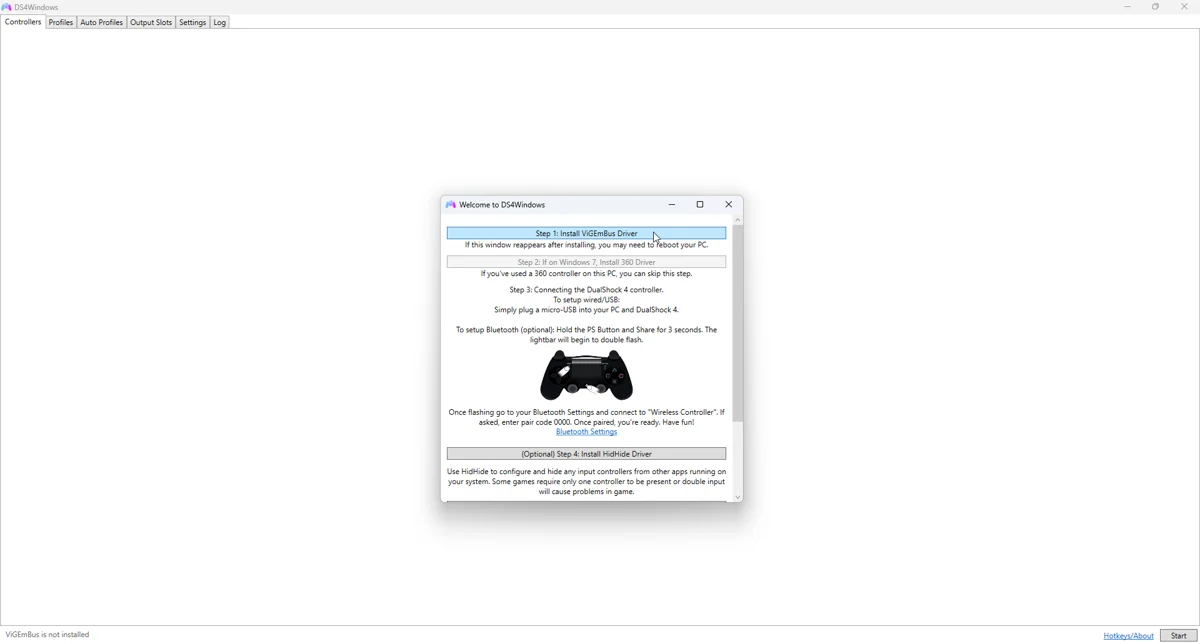
DS4Windows Nexus v1 (DS5Windows)
Nexus is the EmuCores edition with a controller overview, guided setup, profiles, Audio Haptics and Trigger Lab. The current release is v1, build 1.0.1. It targets Windows 10 build 19041 or later and Windows 11, x64 only. It uses .NET 10 Desktop Runtime and a VIIPER/USBIP backend.
| Package | Choose it when | Approximate size |
|---|---|---|
| Nexus x64 | The .NET 10 Desktop Runtime is already installed | 16.6 MiB |
| Nexus First-Run bundle | Setting up this PC for the first time; includes Microsoft runtime installer | 73.4 MiB |
| Matching source ZIP | Inspecting or rebuilding this release | 11.3 MiB |
Install the package you selected
- Download the ZIP for your chosen edition. Keep Ryochan7 and Nexus in separate folders.
- Extract the complete ZIP; do not launch the executable from inside an archive viewer.
- For Nexus First-Run, run First Run.cmd once. For the small Nexus package, install .NET 10 Desktop Runtime x64 if needed, then run DS4Windows.exe.
- For Ryochan7, install the runtime version named by the application, then complete the ViGEmBus setup.
- Finish any driver restart before testing. Connect one controller over a known data-capable USB cable, select a profile and verify the output.
Verify Nexus downloads
Use PowerShell Get-FileHash with SHA256 on the ZIP you downloaded. Compare the result with the checksum below and the SHA256SUMS.txt asset on the GitHub release. A checksum confirms that the bytes match the release; it does not establish that every feature will work with every device.
| File | SHA-256 |
|---|---|
| DS4Windows-Nexus-x64.zip | 26eb13515aaff0ccf5aa38056189c24711de333f1bd264ab4c80befc4e13cc0a |
| DS4Windows-Nexus-x64-First-Run.zip | 6ed1ea821ea8da734b8983593eae7f383ec10e7927af6a1a861bf89f32b9c1b0 |
| DS4Windows-Nexus-Source.zip | 1524354b22fb42f83b2951ac7002b4e572fbb8fc4185eed8954bcb72272cd222 |
Drivers and runtime downloads
Use Microsoft for the Windows Desktop Runtime and the driver projects for their installers. Installing every driver is unnecessary. ViGEmBus belongs to the classic path; Nexus setup manages VIIPER and USBIP. HidHide and FakerInput address specific needs.
- Do not install the obsolete ScpVBus driver suggested by some very old tutorials.
- An SDK is not a replacement for choosing the correct Desktop Runtime package.
- Nexus v1 is currently unsigned. Inspect the source and release details before deciding whether to run a downloaded executable.
Common download questions
DS4Windows is a Windows application. These ZIPs are not Android, iPhone, macOS or Linux installers. ARM Windows is not the same target as an x64 Windows PC. If you already have working profiles, back them up before changing editions. Do not overwrite a working install with files from a different fork.
Runtime and source links
Related guides
Sources: Nexus release documentation · Project and screenshot credits. Updated 11 November 2026.