
DS4Windows will not open or save settings
If the app never opens, separate a runtime failure from an already-running tray instance, an incomplete extraction or a damaged configuration.
On this page
First check
Check Task Manager and the notification area for an existing instance. If Windows names a missing runtime, install that exact Windows Desktop Runtime and architecture. Nexus needs .NET 10 x64; the Ryochan7 archive uses .NET 8.
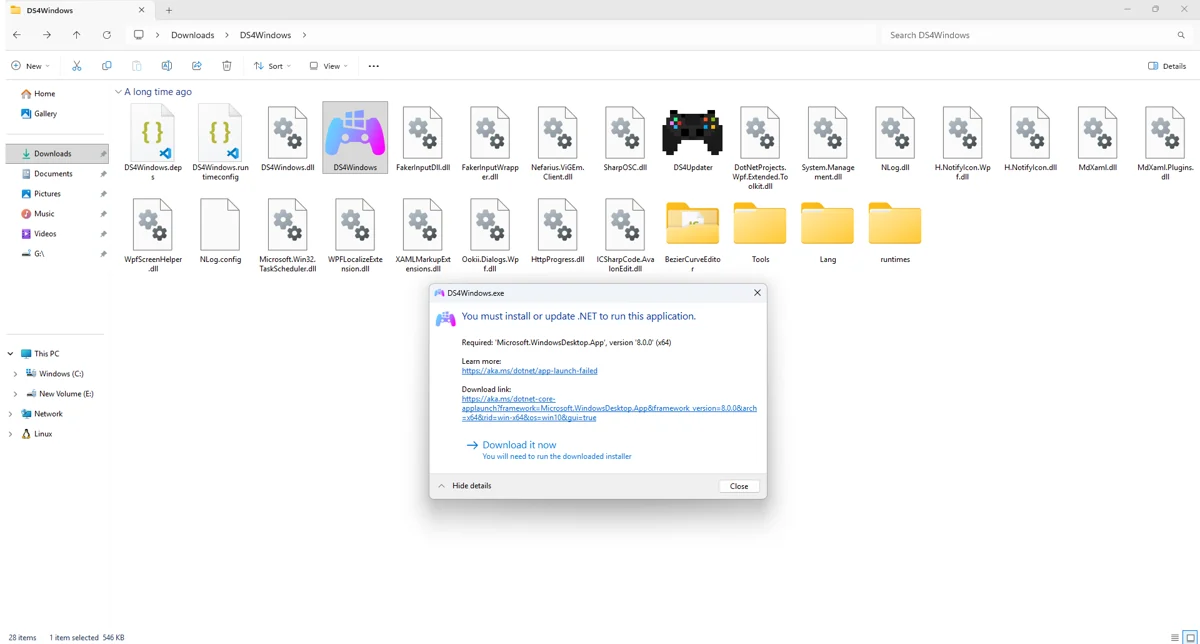
Apply the targeted fix
Extract all application files into a fresh writable folder. Do not run inside the ZIP or mix files from another fork. Check Windows Security protection history if a file was removed; investigate the file and download source rather than disabling protection globally.
If the symptom continues
Close the app and back up its active data folder. To test configuration damage, temporarily rename the data folder and let the app create clean settings, then restore selectively. Do not delete your only copy of profiles.
What to avoid
If settings fail to save, check the active storage location and folder permissions. A portable app in a protected folder may not be able to write beside its executable. Test a user-writable location and verify that the selected profile persists after closing and reopening.
Useful details for support
Record the app edition and version, controller model, connection type, active profile and the relevant log error. Say whether Windows sees physical input and whether the virtual device responds. These details identify the failing layer much better than a screenshot saying only that no controller is connected.
Related guides
Sources: Nexus release documentation · Project and screenshot credits. Updated 11 November 2026.